Selecting the best headphones with a microphone depends on whether you value wireless freedom, consistent wired power, or features like noise cancellation. These options differ by connection type, microphone technology, and background noise management to ensure you find a match for your daily routine.
Best overall: Upgrade ANC ENC Headset offers a balanced mix of Bluetooth 5.4 connectivity and Hybrid Active Noise Cancellation, making it a strong choice for those who need clear calls in noisy environments. Best for remote work: JIAMQISHI Wireless Headset provides a reliable 24-month warranty and versatile connectivity, perfect for professionals who switch between multiple devices throughout their workday. Best for gaming: JBL Quantum 100 features a detachable boom microphone with echo-canceling technology, specifically designed to help gamers track audio cues accurately while keeping communication crisp.
The rest of this guide helps you weigh these features to find the right tool for your specific needs.
How We Picked
We compared 29 different Amazon listings to find headsets that offer clear communication and reliable build quality. Each selection had to clearly state its connectivity options, microphone features, and compatibility with standard office or gaming platforms. Products were excluded if they lacked essential technical specifications or didn’t provide clear information regarding their intended use. Our focus remained on the manufacturer’s stated features to ensure you get an honest look at what each model provides.
All 10 products side by side — scroll sideways to see every column.
| Top Pick | Best for Plug-and-Play | Best for Remote Work | Best for Gaming | Best for Lightweight | Best for Portability | Best for Directional Mic | Best for Adjustable Fit | Best for Simple Setup | Best for Voice Clarity | |
| Preview |  |  | 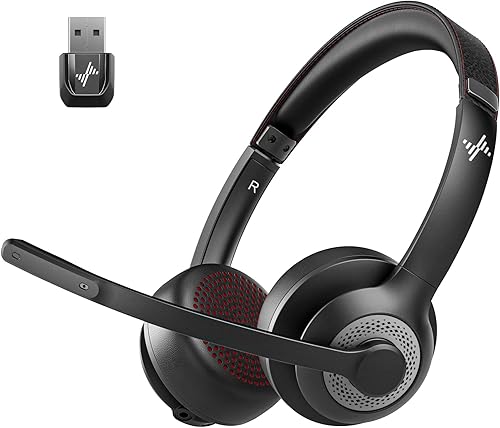 |  |  | 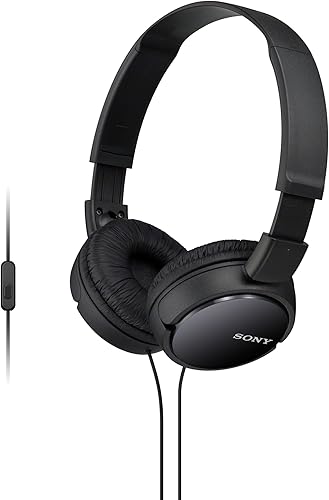 | 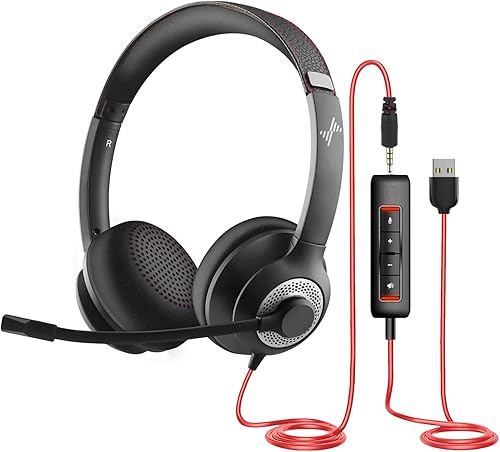 |  |  | 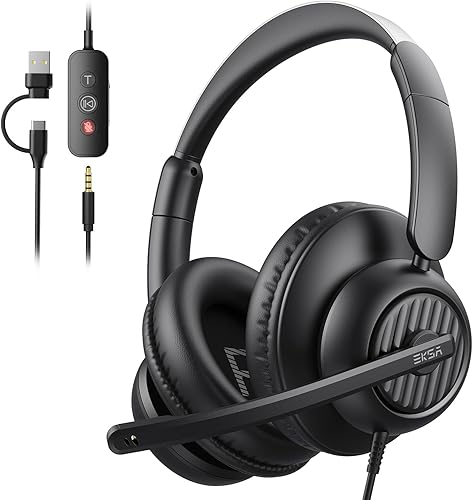 |
|---|---|---|---|---|---|---|---|---|---|---|
| Product | Upgrade ANC ENC Headset | Logitech H390 Wired Headset | JIAMQISHI Wireless Headset | JBL Quantum 100 | Lenovo USB Wired Headset | Sony MDR-ZX110AP | JIAMQISHI USB Headset | Wired Computer Headset | AOC USB Wired Headset | EKSA H8 USB Headset |
| Brand | Angteela | Logitech | JIAMQISHI | JBL | Not stated | Sony | JIAMQISHI | WITYEAH | AOC | EKSA |
| Best for | Top Pick | Best for Plug-and-Play | Best for Remote Work | Best for Gaming | Best for Lightweight | Best for Portability | Best for Directional Mic | Best for Adjustable Fit | Best for Simple Setup | Best for Voice Clarity |
| The listing says | Hybrid ANC and ENC noise cancellation Qualcomm USB-A dongle for stable connection | Adjustable headband with leatherette ear cushions Rotating noise-canceling microphone boom arm | Qualcomm QCC3024 chip with AI noise cancellation Bluetooth connectivity with built-in sound card | Compatible with PC, Mac, Xbox, PS4, Switch JBL Quantum Sound Signature 20 Hz – 20 kHz | USB-A wired headset with noise-cancelation software Control box for call, volume, and mute | 1.38 in neodymium dynamic drivers Swiveling earcup design for easy storage | Unidirectional 270° rotating boom microphone Adjustable headband with memory foam earpads | High-fidelity stereo drivers for crisp audio Adjustable headband with breathable cushions | 90° adjustable noise-canceling boom mic 40mm drivers for balanced audio | 40mm drivers with ENC microphone technology 3.5mm, USB-C, and USB-A connectivity |
| More information | Price on Amazon | Price on Amazon | Price on Amazon | Price on Amazon | Price on Amazon | Price on Amazon | Price on Amazon | Price on Amazon | Price on Amazon | Price on Amazon |
1. Upgrade ANC ENC Headset
Best for: Professionals needing clear audio in busy offices.
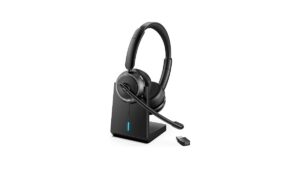
This headset stands out for its use of Bluetooth 5.4 and a dedicated Qualcomm USB dongle, which creates a stable connection for PC and Mac users. The flip-to-mute microphone is a helpful touch for privacy, allowing you to silence your audio instantly during meetings without searching for software settings. Use the physical flip to guarantee your mic is off; relying on software buttons often leads to accidental broadcasts.
The Hybrid Active Noise Cancellation helps you stay focused by blocking background hums, while the Environmental Noise Cancellation ensures your voice stays clear for the listener. If you work in a high-traffic environment, press the ANC button to cycle through the three available modes to find the best fit for your surroundings.
Because this model uses a battery, it isn’t the right choice for users who want a simple, “always-ready” wired headset that never requires charging. A quick two-hour charge provides 35 hours of talk time, so charge it overnight to avoid mid-shift power loss. Note that the dongle is strictly for computers; it won’t work with landlines or VoIP desk phones.
Pros
- Stable connection via included USB dongle.
- Effective Hybrid Active Noise Cancellation.
- Convenient flip-to-mute microphone function.
Cons
- Requires charging for wireless use.
- Not compatible with desk phones.
2. Logitech H390 Wired USB-A Headset with Noise Cancelling Microphone
Best for: Users who want simple, plug-and-play reliability.
The Logitech H390 focuses on straightforward functionality with a 6.23-foot cable that gives you enough room to stand up and stretch during long calls. The in-line controls are positioned directly on the cord, allowing you to adjust volume or mute your microphone instantly without clicking through software menus.
If you’re using a Chromebook, this headset is a reliable choice because it’s tested and certified to meet Google’s compatibility standards. You simply plug the USB-A connector into your computer to start, as no additional software installation is required.
The rotating microphone boom minimizes background noise for your listeners. When you’re only listening to music or meetings, you can tuck the arm out of the way. If you find your ears heating up during long sessions, the swivel-mounted, leatherette ear cushions are designed to be easy to clean.
This model isn’t for users who need wireless freedom. If your workspace requires you to walk away from your desk, the wired connection limits your range to the length of the cord.
Pros
- Reliable plug-and-play USB connection.
- Long cable for extra desk mobility.
- Rotating mic tucks out of the way.
Cons
- Wired connection limits movement.
- No wireless capabilities.
3. JIAMQISHI Wireless Headset with Mic
Best for: Remote workers needing device flexibility.
This wireless headset uses a Qualcomm QCC3024 chip to eliminate up to 99.99% of ambient noise. It’s ideal for clear communication in a home office. You can connect via Bluetooth V5.2 or the included 3.5mm cable to switch between laptops, tablets, and mobile devices.
The memory foam ear cushions use breathable, ROHS-certified material to prevent heat buildup during long shifts. If you find your ears getting warm, the adjustable headband allows you to shift the fit for better airflow. Note that the microphone mute function only triggers when you return the boom to the home position during an active call.
If you need a quick boost, a 10-minute charge provides two hours of work time. However, don’t rely on this for long-haul travel, as the total battery life caps at 14 hours of talk time. This headset isn’t designed for gamers who require dedicated surround sound features.
Pros
- Dual 3.5mm and wireless connectivity.
- Breathable memory foam cushions.
- 24-month warranty.
Cons
- 14-hour talk time limit.
- Mute function is call-state specific.
4. JBL Quantum 100
Best for: Competitive gamers seeking accurate audio.
The JBL Quantum 100 is engineered for precision, helping you track subtle details like enemy footsteps or distant shots. This accuracy relies on a 20 Hz to 20 kHz frequency range designed to keep you aware of your surroundings during intense FPS or MOBA matches.
The detachable boom microphone features echo-canceling technology to isolate your voice from background noise. If you’re playing in a room with a loud fan or television, the microphone ensures your teammates hear only your callouts.
Its memory foam ear cushions are wrapped in soft PU leather to support marathon gaming sessions. If you feel pressure after an hour, adjust the headband to distribute the weight more evenly across your crown. This headset is a wired device using a 3.5mm connection, making it compatible with PC, Mac, Xbox, PlayStation, Nintendo Switch, and VR gear. Avoid this model if you require wireless freedom or active noise cancellation for office environments, as it’s built strictly for wired, performance-focused play.
Pros
- Accurate sound signature for gaming.
- Detachable microphone for convenience.
- Comfortable design for long sessions.
Cons
- Lacks advanced business-grade noise cancellation.
- Wired-only connection.
5. Lenovo USB Wired Headset
Best for: Users who prefer a lightweight design.
At just 140 grams, this headset is built for comfort during long work hours, making it feel less heavy on your head. The software-enhanced noise cancellation helps keep your conversations clear, which is useful when working in a busy home or office environment.
You must install the Lenovo Accessories and Device Manager software to unlock the full potential of the AI noise-canceling feature. Without this application, the microphone will perform at a standard level rather than the enhanced clarity promised for busy environments.
The in-line control box simplifies your workflow by giving you quick access to volume and mute functions. This model isn’t for someone who needs a multi-purpose headset for music or gaming, as it’s specifically designed and optimized for professional communication platforms like Teams, Zoom, and Cisco Webex.
If you primarily use a laptop without a USB-A port, you’ll need an adapter to utilize the plug-and-play functionality.
Pros
- Very lightweight for all-day wear.
- Intuitive in-line control box.
- Optimized for professional meeting software.
Cons
- Wired connection only.
- Not designed for high-fidelity music.
- Requires software for peak microphone performance.
6. Sony ZX Series Wired On-Ear Headphones with Mic
Best for: On-ear comfort and portability.
These headphones feature swiveling earcups that fold down, making them very easy to carry in a bag when you’re traveling. The built-in microphone and in-line remote allow you to take calls on your smartphone without needing to remove the headset.
The closed-back design helps seal in sound, which is great for listening to music in public places. You can expect a punchy, rhythmic response from the 1.38-inch neodymium drivers. The 12 Hz to 22 kHz frequency range ensures that you hear deep bass, rich midrange, and soaring highs across your playlist.
These aren’t the right choice for someone who needs a dedicated, professional-grade boom microphone for high-stakes business meetings, as the mic is integrated into the cord. If you prioritize voice clarity for professional recording, look for a headset with a dedicated boom arm. For casual commuting and general media consumption, the L-shaped 3.5mm plug provides a secure connection that stays out of your way.
Pros
- Compact, foldable design for travel.
- Comfortable cushioned earpads.
- Wide frequency range for music.
Cons
- Microphone isn’t a boom style.
- No dedicated mute button.
7. JIAMQISHI USB Headset with Microphone
Best for: Those needing directional noise cancellation.
This headset features a 270-degree rotating boom microphone that’s unidirectional. It focuses on your voice while ignoring sounds from other directions. You can rotate the boom to wear the microphone on your left or right ear depending on your workspace layout. The inclusion of a work indicator light is a helpful visual cue that lets others know when you’re currently on a call.
It works with USB and 3.5mm connections.
This headset isn’t for users who prefer an over-ear design. This is an on-ear model that rests directly on the ears. While the soft protein memory foam pads are breathable, long-term comfort depends on your preference for on-ear pressure. If you feel heat or sweat, the ROHS-certified materials are designed to mitigate those common issues.
Pros
- Unidirectional mic isolates your voice.
- Handy work indicator light.
- Versatile USB and 3.5mm connection.
Cons
- On-ear design may not suit everyone.
- Wired connection restricts movement.
8. Wired Computer Headset
Best for: Users needing an adjustable fit.
This headset offers a 2.4-meter cable, which provides plenty of slack if your computer sits under a desk or far from your chair.
If you work in a noisy environment like a coffee shop or a crowded office, use the flexible, rotating microphone to actively filter out background distractions. The in-line control panel is the key to managing your workflow. Use it to mute the microphone instantly or adjust volume without touching your screen.
This headset isn’t for people who need wireless mobility. If your desk setup requires you to move around the room during calls, the cable will become a constraint. Always check your device port before connecting; if you have a USB-C port, use the adapter to ensure a secure, plug-and-play connection.
Pros
- Long 2.4-meter cable for mobility.
- USB-A and USB-C connectors included.
- Flexible, noise-canceling microphone.
Cons
- Wired connection only.
- Simple design lacks premium aesthetics.
9. AOC USB Headset with Microphone
Best for: Professionals wanting a simple, reliable setup.
With a 90-degree adjustable boom mic and a simple lift-to-mute function, this headset is easy to use for daily communication. The 40mm drivers are tuned for clear vocals, which makes it a solid choice for video meetings and online learning.
The lightweight 6.17-oz frame and soft protein-memory cushions are designed to reduce pressure during long shifts. If you work in a busy office or attend back-to-back meetings, this design prevents the fatigue often caused by heavier gear.
This model isn’t for users who want to connect to multiple wireless devices at once, as it relies on a stable, wired USB connection. Use this if you need to eliminate battery anxiety and lag during critical calls. If you move frequently during a call, the 6-ft cable may limit your range.
Pros
- Lift-to-mute boom mic is convenient.
- Clear audio for voice meetings.
- Stable, lag-free wired connection.
- Compatible with USB-A and USB-C.
Cons
- Wired connection only.
- No wireless freedom.
10. EKSA H8 USB Headset with Microphone
Best for: Professional-level voice clarity.
The EKSA H8 features a dedicated ENC microphone that specifically targets low-frequency noises like keyboard typing, keeping your calls sounding professional. The over-ear design fully encloses the ears, which provides a different comfort profile compared to on-ear models. If you prioritize long-term wear, the memory foam cushions and adjustable headband prevent the pressure points common in smaller designs.
It includes a dedicated Teams button, making it a great choice for users who spend their entire day in Microsoft Teams meetings. Use the USB-A or USB-C connection if you need to use the inline controls for volume and muting. If you plug in via the 3.5mm jack instead, remember that the button adjustments and noise cancellation features won’t work. This headset isn’t for someone looking for a compact, foldable design, as its reinforced, over-ear construction is built for desk-bound stability. The 7.71 ft cable provides enough slack to move around your workspace without disconnecting.
Pros
- ENC mic filters out keyboard noise.
- Comfortable over-ear memory foam cushions.
- Dedicated Microsoft Teams button.
Cons
- Not foldable for travel.
- Wired connection only.
How to Choose the Best Headphones Microphone in Sixty Seconds
Which connection type is better for me?
Wired connections, like those on the Logitech H390 or AOC USB Wired Headset, do not require battery charging. If you stay at your desk all day, a wired headset is the simplest choice. If you choose wired, ensure the cable length fits your workspace; the WITYEAH headset provides 7.8 feet of cord, while the Logitech H390 offers 6.23 feet. Conversely, wireless options like the Upgrade ANC ENC Headset offer freedom of movement. Check if your computer has the right ports, as many modern headsets now offer USB-C, USB-A, or even 3.5mm jacks to ensure broad compatibility.
Does the microphone style really matter?
Yes, the microphone style changes how you interact with your call. A boom microphone, like the one on the JIAMQISHI USB Headset, sits closer to your mouth and usually provides better voice isolation than a corded mic. Features like “flip-to-mute” or “lift-to-mute” are incredibly helpful for quick privacy, as they provide a physical confirmation that you’re muted. If you work in a loud home office, prioritize models with Environmental Noise Cancellation (ENC) to ensure your listeners hear you, not your surroundings. If you require a mute indicator, look for models like the JIAMQISHI USB Headset, which includes a light that stays on while the device is in use to prevent accidental broadcasts.
How do I ensure all-day comfort?
Comfort is subjective, but look for materials like memory foam and breathable leatherette, which help reduce heat buildup. Over-ear models, such as the EKSA H8, enclose the ear completely, which often feels more secure but can be heavier. On-ear models, like the Sony MDR-ZX110AP, are often lighter and more portable but may press against your ears if worn for many hours. If you wear glasses, over-ear models are often less likely to cause pressure points. Always check the weight if you’re sensitive to heavy headbands, as lighter models like the Lenovo USB Wired Headset, weighing only 140 grams, can significantly reduce neck strain over a long workday.
The Upgrade ANC ENC Headset remains our top choice for its blend of wireless convenience and noise-canceling performance, while the Logitech H390 stands out as the most reliable wired option for those who want a simple, no-fuss setup. Both models provide excellent clarity for professional calls, but your final choice should depend on whether you prioritize moving freely around your office or having a permanent, battery-free connection. Before you buy, double-check your computer’s available ports—USB-A, USB-C, or 3.5mm—to ensure the headset you pick is ready to work the moment it arrives.
Frequently Asked Questions
What does a headset need to work with my computer?
Most modern headsets are “plug-and-play,” meaning they work immediately when plugged into a USB or 3.5mm port without extra software. Manufacturers may offer optional software for features like noise cancellation, but it is usually not required for basic functionality. Always check that your computer has the correct port type.
How do I maintain my headset after buying?
Maintaining your headset is simple: keep the ear cushions clean by wiping them with a soft, dry cloth after long sessions to prevent sweat buildup. For models with leatherette or protein-memory foam, avoid using harsh cleaning chemicals that might damage the surface. If your headset has a detachable microphone, like the JBL Quantum 100, store it carefully when not in use to avoid bending the connector. The listing doesn’t mention maintenance advice.
What usually goes wrong with headsets first?
The most common point of failure for wired headsets is the cable, usually near the plug or control box, caused by constant bending or pulling. Treating your equipment with care is the best way to extend its lifespan regardless of the brand.
Is the simplest headset on this list enough for professional work?
Yes, a simple wired headset like the Logitech H390 is often enough for daily professional use. Basic wired models provide consistent audio quality without the worry of battery life or wireless interference. Only upgrade if you specifically need features like active noise cancellation or wireless freedom.
Conclusion
Once you’ve narrowed down your favorites, don’t just take the manufacturer’s word for it. Try listening to a few recorded samples online to hear how the voice quality sounds in real-world settings. You’ll find the perfect pair that makes your daily calls feel effortless and clear, so you won’t look back.